
Zinc documentation
Zinc is a native, Zotero-compatible reference manager for Windows, Linux and macOS. It opens a Zotero library, reads PDFs, adds items from the web, and cites into Word.
These pages are plain Markdown. Browse docs/ on GitHub, or run the documentation site locally (see Viewing these docs).
Where to start
| You want to | Read |
|---|---|
| Install the app | Install, then First run |
| Learn the library | Library basics, Adding items |
| Read and annotate PDFs | The PDF reader |
| Cite in Word or export references | Citations, Word add-in, Better BibTeX |
| Sync with Zotero | Sync |
| Let an AI agent use your library | MCP for AI agents |
| Fix a problem | Troubleshooting and FAQ |
| Build or change the app | Developer guide |
Contents
Viewing these docs
- On the website: https://aborakati.github.io/zinc/. It shows these pages with search and dark mode.
- On GitHub: open the
docs/folder. Links are relative and Mermaid diagrams render in place. - Locally, with search and dark mode: from the repository root run
bun run docs:dev(live reload) orbun run docs:preview(a production build), then open the address it prints. The site lives inwebsite/and readsdocs/directly, so there is one copy of every page. Only Bun is needed. - To check for broken links without serving:
bun run docs:build. The build fails on a relative link to a page that does not exist.
Writing docs
- A page is a Markdown file under
docs/. Its first line is# Title; the title becomes the page title, so no front matter is needed. - Link to other pages with relative links such as
[Sync](sync.md#files). Do not link outsidedocs/. - Put screenshots in
docs/screenshots/and embed them with a relative path, for example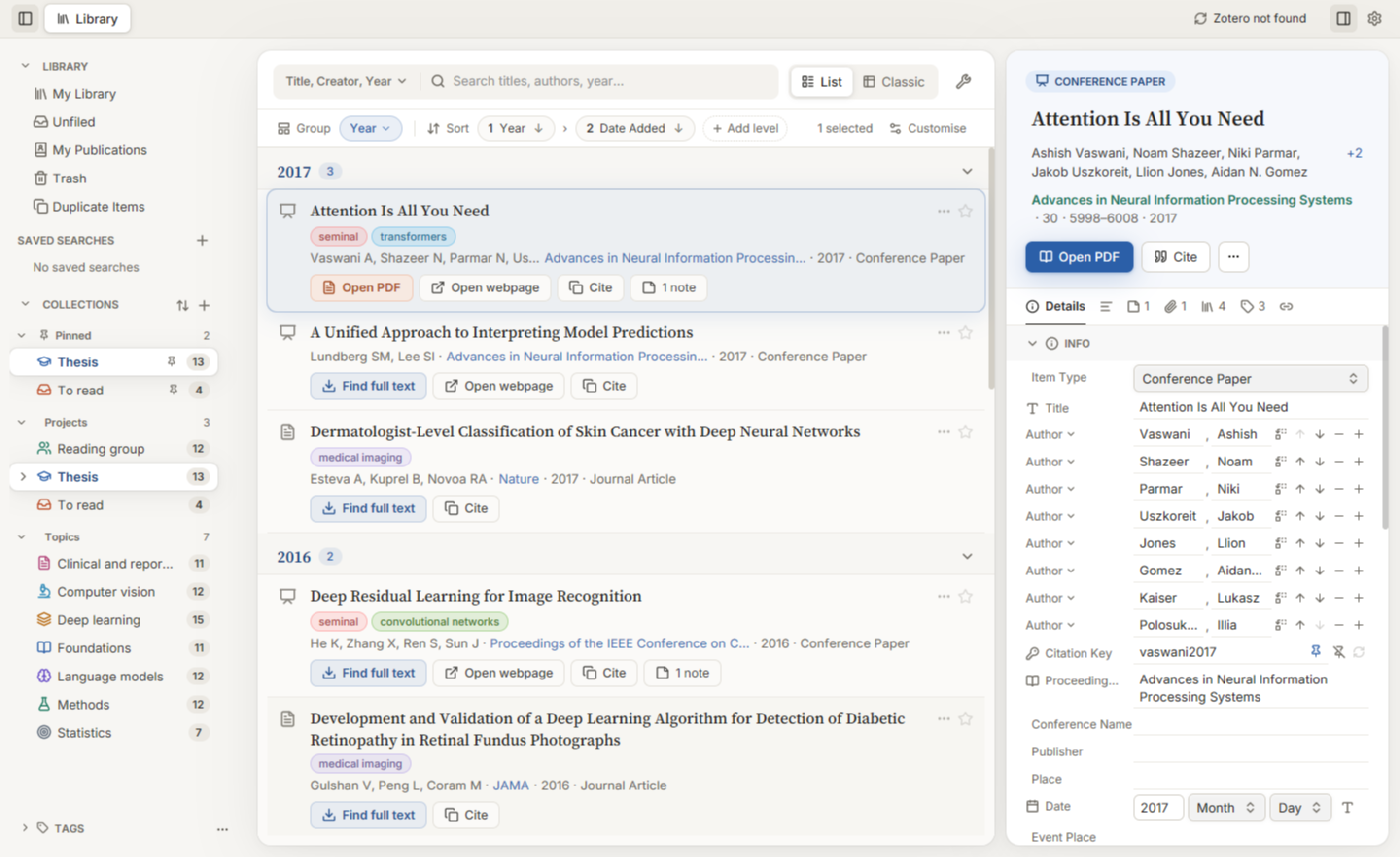. - Diagrams are Mermaid fences.
- A new page also needs an entry in the sidebar list in
website/astro.config.mjs. - The site’s home, Features, Compare and Download pages (
website/src/pages/) read their benchmark tables, feature lists and comparison grid from the repository README at build time (website/src/lib/readme.ts). Edit the README, not the pages, to change those; keep its headings, since the pages look them up by name.